Universal audio converter
Sound Grinder is an advanced audio editor which converts files to the most popular audio formats.
Top Recommended Alternative

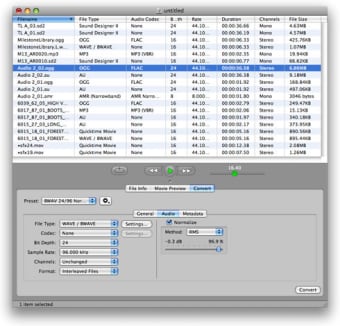
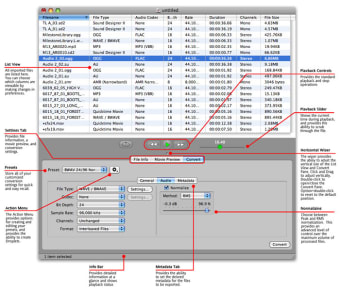
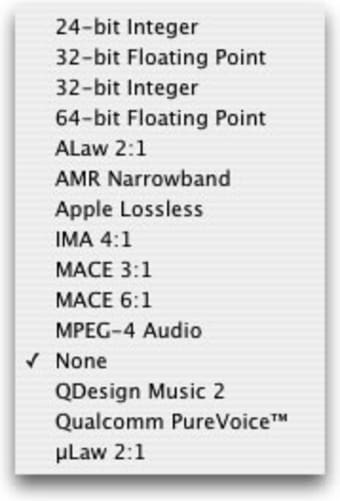
As with most audio editors, you'll find waveform editing in Sound Grinder, perfect for quickly reviewing your tracks and making edits. You'll find converting files easy. Drag and drop your audio file onto the interface, then in the 'Convert' tab at the bottom select the right elements for file type, codec or bit depth and when you're ready press convert. Sound Grinder handles files fairly quickly.
Sound Grinder also lets you copy specific metadata from tracks like ID3, Vorbis comments or WAVE info.
I didn't really like the interface, especially the bottom section, where you set things like plugins and metadata. This part can not be resized and extended. Similarly, there is a movie preview section, but you can't select the resolution, so your videos might come out slightly distorted.
Despite some issues with the interface and the movie preview, Sound Grinder is a good audio converter.
* New handling of embedded artwork in media files - Artwork in media files is now handled by loading the artwork as needed instead of loading during import. As a result, the "Import Embedded Artwork" Preference has been removed. * Fixed an issue with FLAC metadata - Fixed an issue where "COMPOSER" and "CONDUCTOR" were not being written to files or read from files. * Fixed an issue when clearing a numeric metadata field - Fixed a crash that would occur when clearing a numeric metadata field. * Updated LAME Codec UI - Improved LAME Codec UI to better communicate the methodology of the encoder. * Enhanced Metadata Artwork Editor -Enhanced the editor to show as a drop target when dragging to indicate valid image files. Added a Remove button to the editor to remove artwork from the Asset. * Enhanced DRM content handling - Fixed playback issues with Play Control when playing DRM and some other content. * Fixed an issue with audio output routing - Fixed an issue where audio playback was not respecting the audio routing setup in Audio MIDI Setup. * Fixed an issue with pausing audio playback - Fixed an issue where pausing audio playback may cause a buzzing on some hardware. The fix may also address other playback issues. * Fixed a crash issue when importing an "empty" folder - Fixed an issue where importing a folder that didn't contain any recognizable files would cause a subsequent crash. * Fixed a crash issue when importing malformed AIFF and WAVE files - Added a workaround to import Region info correctly when saved with incorrect endianness. * Updated Quicktime Time Reference Metadata display - Updated the Quicktime Time Reference metadata display to show a time value according to the current time units settings. * Fixed an issue where output files may not be exported correctly - Fixed an issue where, in rare cases, interleaved exported files may be created with mono audio split between output channels. * Added change for empty Region Data - Added change to skip reading Region Data from WAVE files when the chunk data size is 0. * Fixed an issue where certain WAVE files would not be properly imported on PPC - Fixed an endian-swap bug on PPC that would cause certain WAVE files to be imported as Quicktime files. * General enhancements - This version contains several other fixes and enhancements providing greater stability and efficiency.